
Engineered for technical documents.
Every detail of Lucid is tuned for reading, writing, and navigating complex Markdown — from offline mathematical typesetting to native macOS window chrome.
An editorial reading canvas designed for sustained focus
Most Markdown previewers stretch text across the entire window or use arbitrary padding. Lucid adheres to classic book typography: a 680px optimal reading measure, calibrated line-height (1.6), and proportional heading scales that keep long-form technical notes comfortable to read for hours.
Optimal Measure
The primary prose column is capped at 680px to maintain the 65–75 character line length recommended by typographers for reading comprehension.
Breakout Layouts
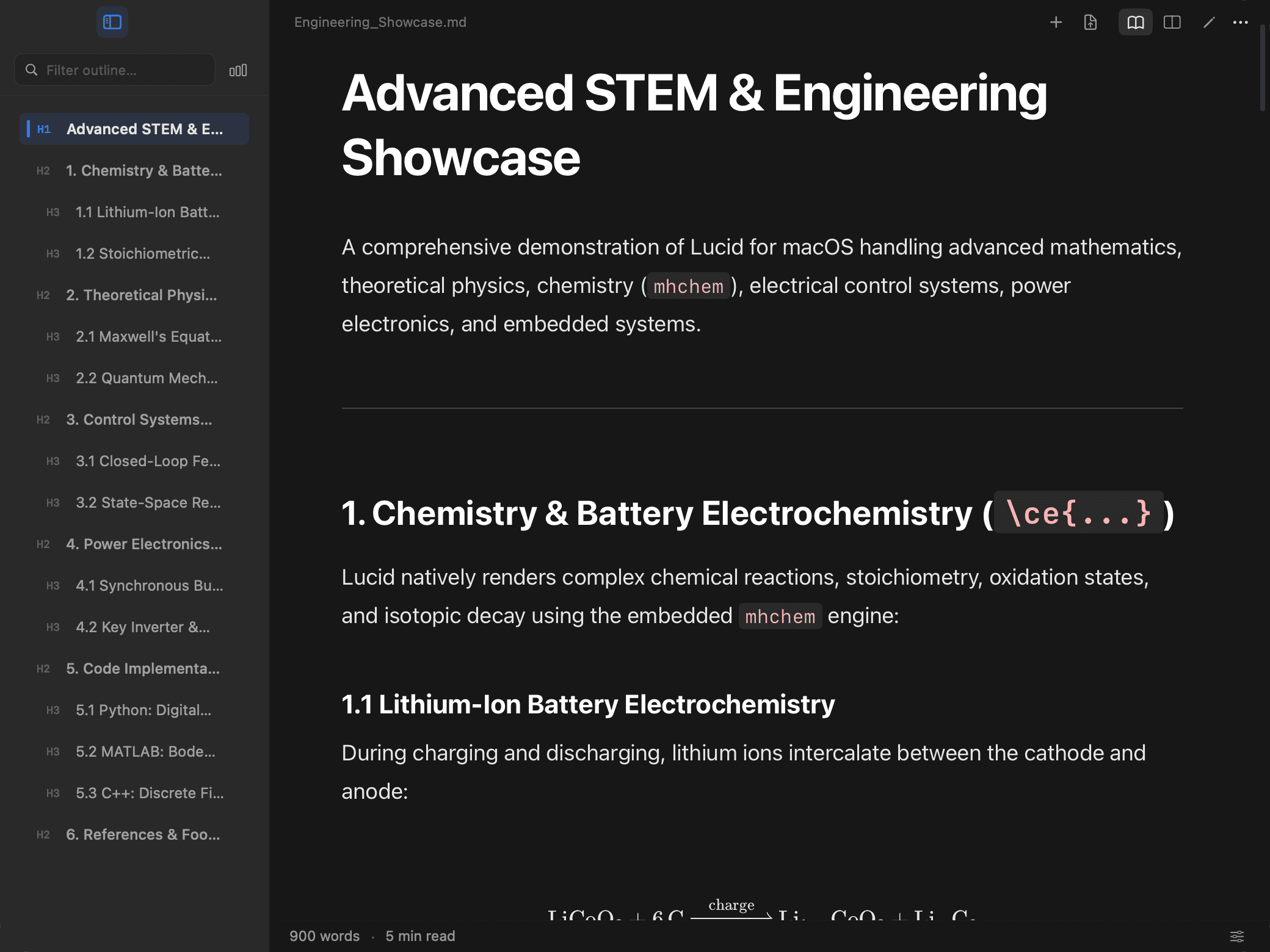
Wide tables and complex Mermaid diagrams dynamically expand beyond the reading column up to 1200px, avoiding cramped horizontal scrolling.
Curated Themes
Thirteen themes: System Dynamic, six light (Editorial Light, Warm Book Sepia, Sage Paper, Glacier, Rosewater, Lavender) and six dark (Studio Dark, Midnight Ink, Espresso, Aubergine, Evergreen, Bordeaux), each with its own code and diagram palette.
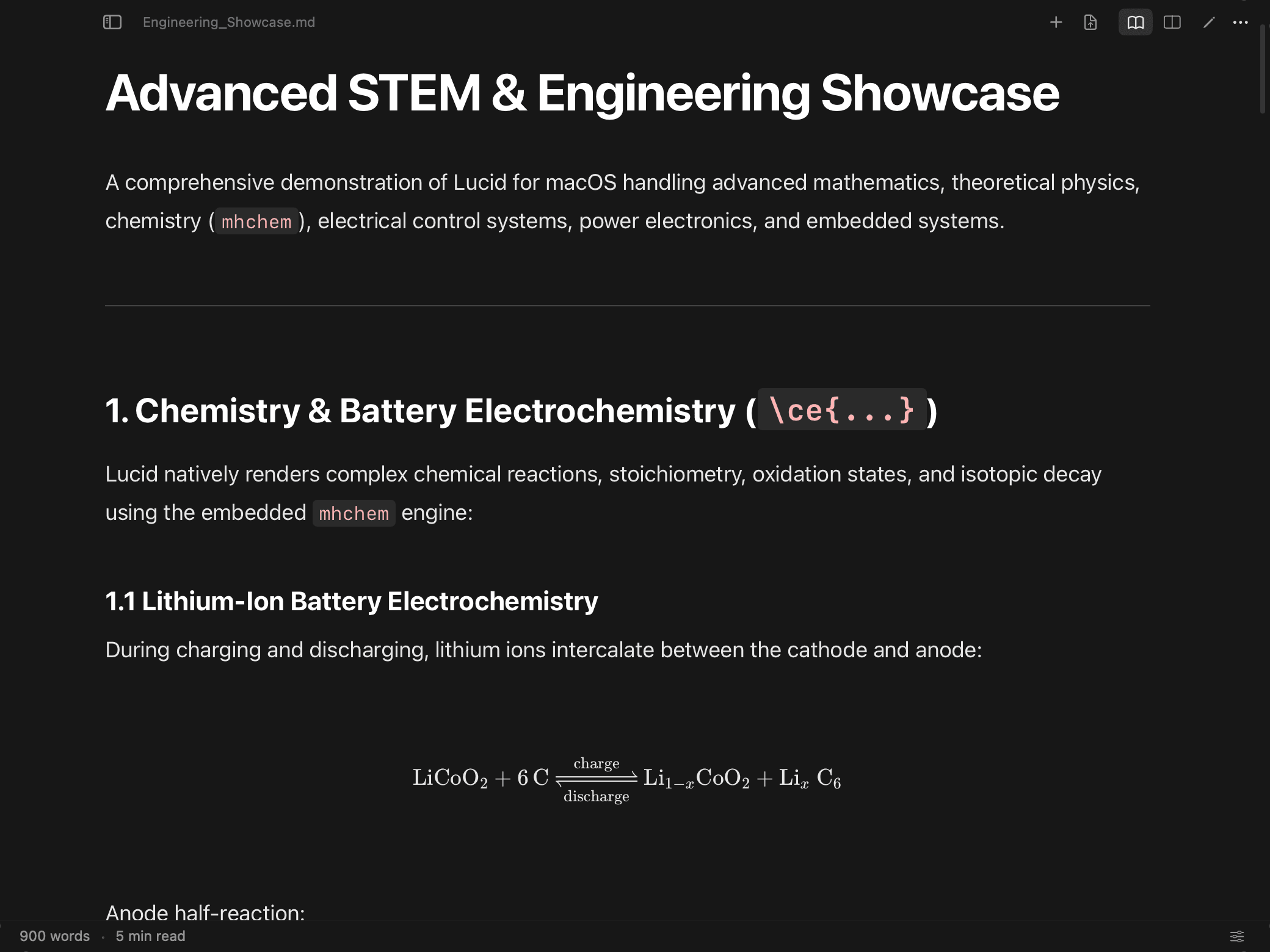
First-class math, chemistry, diagrams, and tables
Technical documents shouldn't require messy LaTeX toolchains just to look clean. Lucid renders KaTeX math, mhchem chemistry, and Mermaid diagrams locally without internet access.
KaTeX Math & mhchem Chemistry
100% OfflineRender inline equations with $...$ and display blocks with $$...$$. Write chemical equations and reaction stoichiometry using \ce{...}.
Technical Tables & Syntax Highlighting
Preserved LayoutData tables feature high-contrast headers, alternating row striping, and preserve column alignment. Fenced code blocks include syntax highlighting, language identifier badges, and one-click copy buttons.
Interactive Mermaid Diagrams with Pan & Zoom
Standard previewers shrink wide diagrams into unreadable squiggles. Lucid keeps diagrams at human-readable scale with full interactive navigation.
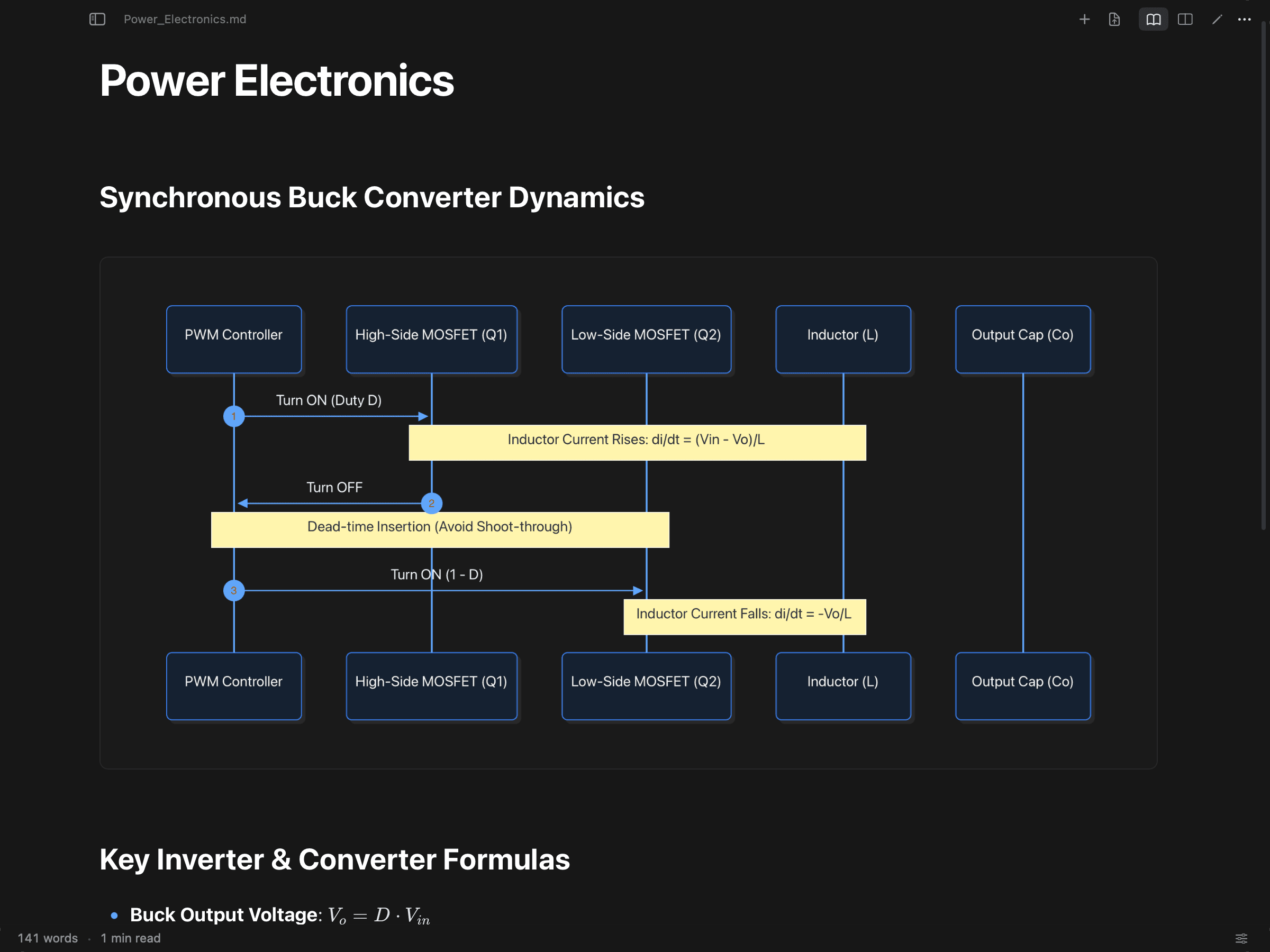
Reader, Split, and Editor modes with synchronized scroll
Seamlessly switch between consumption and authorship with standard macOS keyboard shortcuts. In Split Mode, scrolling the editor or the preview automatically synchronizes the corresponding section.
Reader Mode
⌘1Pure reading canvas with all non-essential controls subdued. Ideal for review, study, and presentation.
Split Mode
⌘2Side-by-side editing and live preview. Synchronized scrolling ensures your cursor and rendered view stay aligned.
Editor Mode
⌘3Distraction-free plain-text Markdown editor with syntax colouring in your theme, line numbers, auto-indentation, and outline integration.
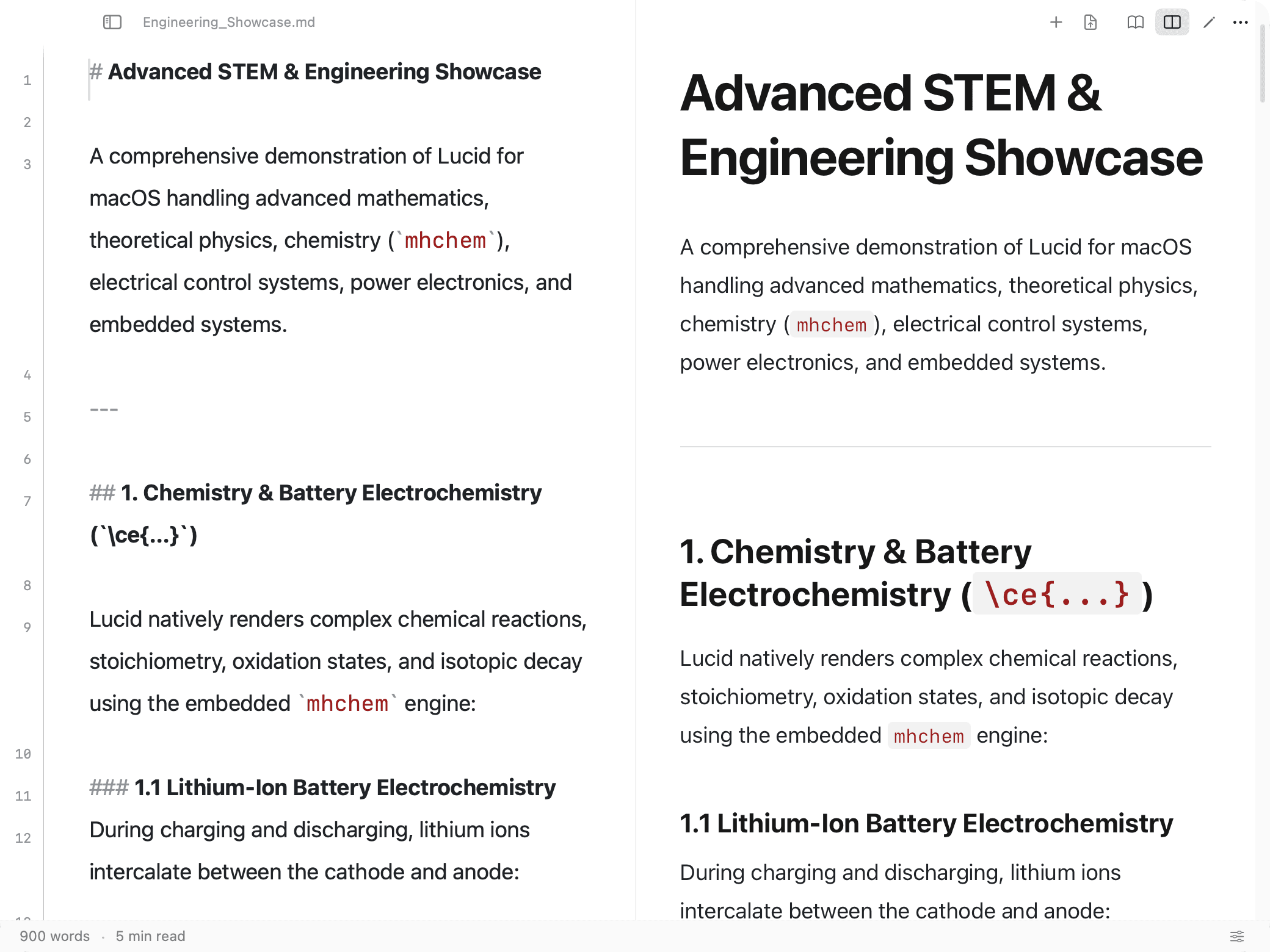
Navigate thousands of lines without losing your place
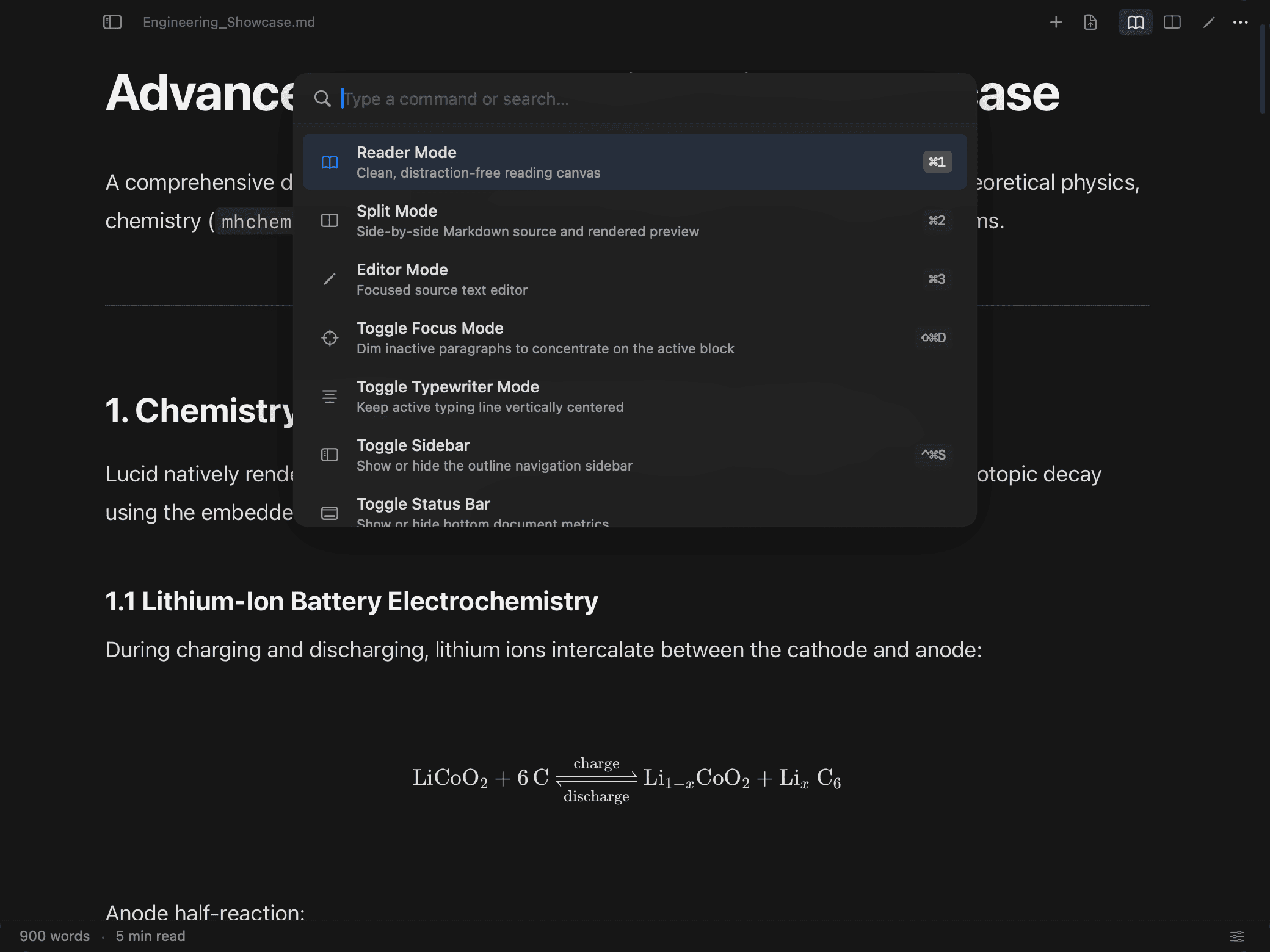
Technical documents can be thousands of lines long. Lucid equips you with an outline sidebar that tracks your position, an in-document find bar, and a fuzzy Command Palette.
Outline Sidebar
⌃⌘SHierarchical table of contents (H1–H6) with real-time scroll-spy highlighting your active section as you read.
Find in Document
⌘FFloating search bar with match count, previous (⇧⌘G), and next (⌘G) navigation across rendered content.
Command Palette
⌘KFuzzy search across all actions, themes, presets, view modes, and export functions without touching the mouse.
Native Swift performance with zero telemetry
Lucid is built with Swift and AppKit. It launches instantly, uses minimal memory, and renders documents strictly on your local Mac.
Floating Glass Toolbar
Built with native NSVisualEffectView. Content scrolls underneath with authentic macOS vibrancy and subtle depth.
Zero Telemetry
No analytics trackers, no account logins, no phone-home pings. All parsing and rendering engines are bundled locally.
Live File Watching
Edit files in Neovim, VS Code, or Obsidian and watch Lucid update live without resetting your reading position.
Experience technical Markdown the way it should be.
Lucid is free to download and use. Get the DMG, and future updates install from inside the app.